
AI Voice Translation Basics
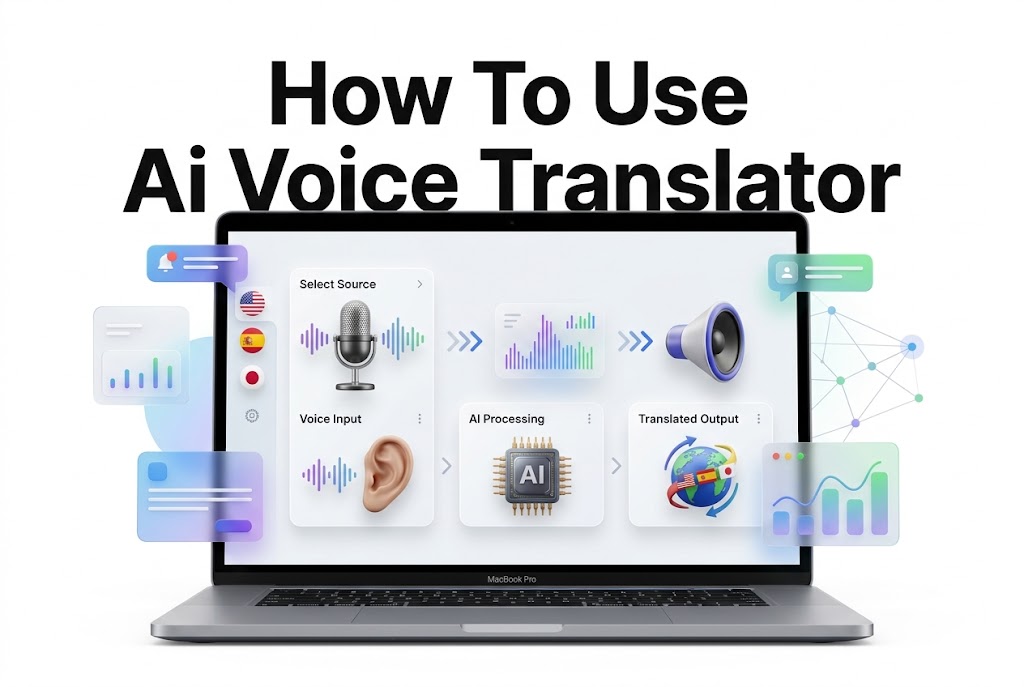
An AI voice translator listens to spoken language, turns it into text, translates the meaning, and delivers the result in another language as audio, text, or both. That makes it useful for travel, conversations with international customers, language practice, meetings, and family calls. The best way to use one depends on the situation: a quick translation app may be enough for ordering food abroad, while a business conversation needs clearer audio, slower pacing, and a way to confirm important details.
Learning how to use ai voice translator tools starts with choosing a reliable app or device, setting the right languages, and speaking in short, natural phrases. Accuracy improves when the microphone can hear you clearly and when you avoid slang, long sentences, or several speakers talking at once. This article explains the practical setup process, how live conversation mode works, what to do when translations sound wrong, and when another option may be safer. By the end, you should be able to translate spoken conversations with more confidence and fewer misunderstandings.
Choosing the Right AI Voice Translator
Start by matching the translator to your main use case. Smartphone apps are convenient for travel and casual conversations because they are easy to update and often support text, camera, and voice translation in one place. Dedicated translation devices can be helpful when you want longer battery life or prefer not to hand over your phone.
Check the languages and regional variants before relying on any tool. A translator may support Spanish but handle Mexican, European, and regional vocabulary differently. Speech recognition quality also varies by language, accent, background noise, and internet connection, so test the app with the languages you actually plan to use.
Features That Matter Most
Look for two-way conversation mode, language auto-detection, offline language packs, audio playback speed controls, and a visible transcript. A transcript is especially useful because you can read the translated sentence before playing it aloud, spot obvious errors, and share text when the other person cannot hear clearly.
Privacy matters when you use a voice translator for work, health, legal, or personal discussions. Review whether recordings are stored, whether the service uses audio to improve its systems, and whether you can delete conversation history. For sensitive conversations, choose a tool with clear privacy controls and avoid sharing unnecessary personal details.
Setting Up the App Before You Need It
Install the translator while you have a stable internet connection, then download any offline language packs you may need. Offline mode is valuable in airports, rural areas, underground transit, and places where roaming data is expensive, though it may offer fewer languages or lower accuracy than cloud-based translation.
Spend a few minutes finding the microphone button, conversation mode, playback controls, and language settings. This small practice session prevents awkward pauses when you are standing at a hotel desk, speaking with a customer, or trying to ask for help. Keep your app updated because translation quality and language support can improve over time.
A useful pre-trip or pre-meeting checklist includes:
- Download the required language packs and confirm they open offline.
- Select the source and target languages before the conversation begins.
- Test the microphone using your normal speaking volume.
- Turn up media volume and carry headphones when privacy is needed.
- Save common phrases, addresses, reservations, or technical terms as text.
- Bring a backup option, such as a second app or written translation.
Using Conversation Mode for Live Translation
Conversation mode is designed for back-and-forth speech. In many apps, each person taps their language button before speaking. Some tools offer automatic language detection, but manual language selection can be more accurate when the people involved speak similar languages or switch between languages frequently.
The goal is not to speak as fast as possible. Pause after each complete thought, wait for the translation to finish, and let the other person respond. Treat the translated result as a helpful interpreter rather than a perfect record of every word, especially when the discussion includes numbers, dates, names, prices, or instructions.
A Simple Conversation Workflow
1. Open conversation mode and set both languages.
2. Place the phone or device between speakers, close enough to capture each voice.
3. Speak one short thought at a time, ideally one sentence.
4. Read the transcript briefly before playing the translation when accuracy matters.
5. Let the other person answer in their language and wait for the return translation.
6. Repeat key information in a simpler form if either person looks uncertain.
For example, instead of saying, “I need to reschedule the appointment because my connecting train was delayed and I may not arrive until after lunch,” say, “My train is delayed. I will arrive after lunch. Can we change my appointment?” Shorter wording gives the system fewer chances to misread the speech or distort the meaning.
Speaking Clearly for Better Results
Voice translators work best with clean audio and direct language. Hold the device about six to twelve inches from the speaker, reduce nearby music or traffic noise when possible, and avoid covering the microphone with your hand. In a loud restaurant or station, moving to a quieter corner may improve the result more than changing apps.
Use complete but simple sentences. You do not need to speak in a robotic way, but avoid packing several ideas into one statement. Replace idioms and local expressions with literal wording. “I’m just looking” may translate poorly in some contexts, while “I do not want to buy anything today” is clearer.
Words and Phrases That Need Extra Care
Certain details deserve confirmation because one small translation error can have real consequences. Numbers may be heard incorrectly, dates can follow different formats, and names often need spelling rather than translation. Ask the other person to repeat or show these details in writing.
Be especially careful with:
- Medication names, allergies, symptoms, and dosage instructions
- Street addresses, apartment numbers, and transport platforms
- Prices, currencies, payment deadlines, and quantities
- Appointment times and dates
- Contract terms, legal statements, and official forms
- Technical specifications, measurements, and safety instructions
For important information, use a confirmation loop. Say the detail, show it on screen, ask the other person to confirm it, and repeat it in a different form if needed. For example: “The meeting is Tuesday, October 14, at 3 p.m. Is that correct?” A written transcript reduces the risk of relying only on audio.
Handling Common Translation Problems
A strange translation does not always mean the app is poor. The speech recognition step may have failed before translation even began. Check the original transcript first. If the app transcribed your sentence incorrectly, speak again more slowly, move closer to the microphone, or rephrase the sentence.
If the original transcript is accurate but the translated wording feels wrong, simplify the source sentence. Remove figurative language, split the idea into two statements, and use familiar vocabulary. You can also type the sentence manually, which helps when pronunciation, names, or noisy surroundings cause repeated errors.
Quick Fixes for Frequent Issues
Problem: The app translates the wrong language.
Fix: Turn off automatic language detection and choose each language manually. This is particularly helpful with related languages or bilingual speakers.
Problem: The translation stops midway.
Fix: Check your internet connection, restart the app, or use downloaded offline content. Long speech segments may also exceed the app’s practical limits.
Problem: The voice output is too quiet.
Fix: Increase media volume, disconnect a paired Bluetooth device if audio is being sent elsewhere, or show the translated text instead.
Problem: The meaning sounds too formal or too casual.
Fix: Rephrase the original with a clear audience in mind. Translation tools can struggle with tone, honorifics, humor, and workplace hierarchy.
Problem: The app repeatedly misunderstands a name.
Fix: Type the name, spell it aloud, or show an ID, booking confirmation, or written contact information.
Using AI Voice Translation While Traveling
Travel is one of the most practical uses for voice translation. It can help with hotel check-in, restaurant orders, taxis, shopping, directions, and basic emergencies. Keep expectations realistic: it is excellent for routine exchanges, but you should slow down and verify details whenever money, travel schedules, or health are involved.
Prepare a few essential phrases before leaving. Save your accommodation address in the local language, keep a screenshot of reservations, and store important dietary or accessibility needs as written messages. Voice translation is useful in the moment, but a prewritten sentence can be faster when you have a weak signal or need to communicate clearly under pressure.
Practical Travel Examples
At a restaurant, speak directly: “I have a peanut allergy. Does this dish contain peanuts?” Then show the written translation and ask staff to confirm. Avoid relying on a vague phrase such as “I cannot eat this,” because it may not explain the seriousness of the issue.
In a taxi, enter the destination into a map and show the address alongside the spoken translation. For transport, ask for platform number, departure time, and destination separately. Combining all three into one long question can create a confusing reply, especially in a busy station.
Using Voice Translators at Work
AI voice translation can support informal international communication, customer conversations, basic training, and early-stage meetings. It is most effective when the subject is familiar and participants can pause for short exchanges. The visible transcript can also help attendees follow along when audio quality is inconsistent.
For professional settings, establish a simple process before the meeting starts. Tell participants that an AI translator is being used, speak in turns, and ask people to avoid overlapping speech. For complex negotiations, performance issues, contracts, legal advice, or sensitive HR discussions, use a qualified human interpreter rather than relying on an app.
A practical meeting routine looks like this:
1. Send key terms, names, product references, and the agenda beforehand.
2. Assign one person to manage the device or screen transcript.
3. Keep each contribution brief and allow time for translation.
4. Summarize decisions in plain language at the end of each topic.
5. Send written follow-up notes so participants can verify key actions.
For teams that work across languages regularly, build a shared glossary of product names, abbreviations, and industry-specific phrases. A related resource such as [Internal Link: multilingual communication tips] can help establish clearer habits beyond the translator itself.
Offline Translation and Connectivity Limits
Online translation usually has access to more advanced speech and language processing, which can improve results. Offline packs are still worth downloading because connectivity is not guaranteed. They provide a practical fallback in locations with weak service, expensive roaming, or restricted Wi-Fi.
Before depending on offline mode, test it in airplane mode. Check whether speech input works, whether both directions of your language pair are available, and whether text-to-speech output is included. Some apps may translate typed text offline but require the internet for live voice recognition.
When Offline Mode Is the Better Choice
Offline translation is often the safer option when you are on a plane, crossing borders, traveling through remote areas, or trying to avoid sharing conversation data over public Wi-Fi. It can also reduce delays caused by unstable connections, which makes basic exchanges feel less frustrating.
Its limitations are important. Offline translations may be less natural, have fewer supported languages, or miss current terms and nuanced phrasing. Keep sentences short, rely on the screen text when voice output is unavailable, and use saved phrases for predictable needs such as directions, food requests, and hotel communication.
Knowing When Not to Rely on an AI Translator
An AI voice translator is a communication aid, not a substitute for professional interpretation in every setting. Do not rely on it alone for emergency medical treatment, legal agreements, immigration interviews, financial commitments, child safeguarding concerns, or other high-stakes discussions where a misunderstanding could cause harm.
Use a human interpreter when accuracy, confidentiality, cultural nuance, or accountability is essential. A human professional can ask clarifying questions, handle dialect differences, recognize indirect meaning, and explain ambiguity. An app cannot reliably judge when a phrase has serious legal, medical, or emotional implications.
Safer Alternatives for High-Stakes Conversations
For medical care, request an approved interpreter from the hospital, clinic, insurer, or local service. Use an AI translator only to communicate immediate basic needs while you arrange appropriate language support. Show written medication lists and allergy information whenever possible.
For legal, employment, or contractual matters, ask for a certified interpreter or translated document. If you are signing anything, read a version you fully understand and do not assume an automatically translated summary captures every obligation. [Internal Link: business translation best practices] may also be useful when setting a formal language process.
Best Practices for Natural, Respectful Conversations
Use the translator to support the person in front of you, not to speak around them. Face the other person, make eye contact, and allow them time to review the translated text. A device can make communication easier, but courtesy and patience still shape whether the exchange feels respectful.
Be mindful of cultural context. Direct wording that feels normal in one language may sound abrupt in another. Simple polite phrases, a calm speaking pace, and confirmation questions are often more effective than trying to translate humor or informal sayings exactly.
Helpful habits include:
- Introduce the tool briefly so the other person knows what is happening.
- Speak to the person, not into the phone.
- Use names and titles respectfully when you know them.
- Pause rather than interrupting the translated audio.
- Ask for clarification without blaming the other person or the app.
- Keep a pen, notes app, or translation transcript ready for vital details.
Accuracy improves when both people cooperate. A good conversation often includes gestures, maps, photos, receipts, and typed words alongside voice translation. Combining these signals gives each person more ways to confirm the intended meaning.
Conclusion
AI voice translation is most useful when you treat it as a practical aid for clear, short conversations. Choose an app that supports your languages, download offline packs before you travel, use conversation mode one speaker at a time, and review the transcript when details matter. Clear audio and plain wording will usually improve results more than speaking louder or faster.
The most important habit is verification. Repeat names, numbers, dates, addresses, prices, and health-related information, then confirm them in writing when possible. For travel, casual chats, and everyday customer interactions, these tools can remove a major communication barrier. For medical, legal, financial, or sensitive workplace matters, arrange qualified human support instead.
Once you know how to use ai voice translator features thoughtfully, the technology becomes much less intimidating. Start with a simple practice conversation, learn where the settings are, and build confidence before you need it in a busy or unfamiliar situation.
Frequently Asked Questions
Can AI voice translators work offline
Yes, many voice translation apps offer offline language packs. Capabilities vary by app and language, so download the packs in advance and test them in airplane mode. Offline results may be less accurate or support fewer features.
Are AI voice translators accurate
They can be accurate for everyday phrases spoken clearly in a supported language. Results become less reliable with background noise, slang, dialects, idioms, specialized terminology, or long sentences. Confirm critical facts with text or a human interpreter.
Which languages work best with voice translation
Widely supported languages often provide the strongest results because they have more speech and translation data. Performance still depends on the app, accent, recording quality, and language pair. Test your specific languages before an important conversation.
Can I use voice translation for medical appointments
Use it only for basic communication or immediate needs when no interpreter is available. For diagnosis, consent, medication, treatment instructions, or emergencies, request a qualified medical interpreter to reduce the risk of dangerous misunderstandings.
How can I improve voice translation results
Speak in short sentences, reduce surrounding noise, hold the microphone close, and avoid slang. Check the original transcript before trusting the translation. Repeat numbers, names, dates, and important instructions, preferably with written confirmation.